Boost the value of your VR library
Repurpose existing VR assets into 2D video automatically.
Reach a wider audience by converting VR content into flat video so that it can be enjoyed on any device or platform.
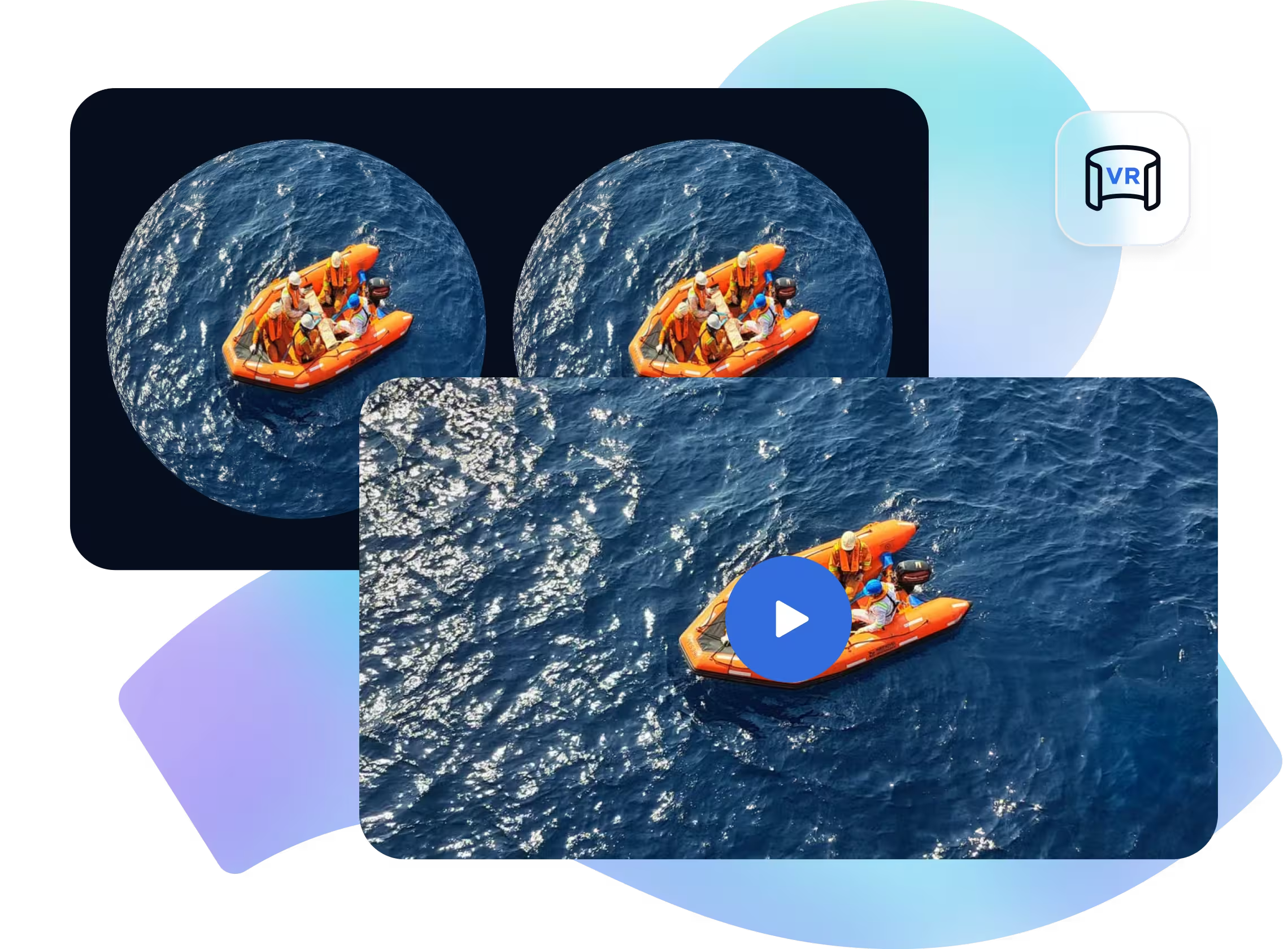
Use VR Mode to automatically transform VR180/360 content that works on specific headsets into high-quality 2D video that works universally.
vr_mode: 1 to your output and set encoder_version: 2 in the transcoding request.Repurpose existing VR assets into 2D video automatically.
Create undistorted video that can play across any desktop, mobile, or OTT device.
Repurpose immersive footage for social media and marketing pages.
Make it easier to preview, publish, and promote your content across all available channels.
Streaming platforms with VR libraries need to grow their viewers, but are limited by the reach of VR headsets.
Automatically convert VR content into regular video to make it simple to view, distribute, and monetize across modern channels.
Virtual reality experiences, concerts, sports events, and movies often require additional stream to produce content for web, mobile, and social.
Automatically convert VR footage into shareable standard video, reducing manual processing and speeding up distribution.
VR training and simulation content can be difficult to distribute when learners don't have access to a headset.
Convert VR content into standard video for desktop, tablet, and mobile, expanding access while maintaining a single content workflow.
| API Method | POST /v1/start_encode2 with vr_mode: 1 after creating a task with POST /v1/create_task. |
| Key Parameters | source, encoder_version: 2, vr_mode, output: mp4. For HLS/DASH, set vr_mode on each stream entry. |
| Supported Input Formats | VR180/360 stereoscopic video with side-by-side or top-bottom layout, equirectangular or fisheye projection, and an aspect ratio between 1.8 and 2.2. |
| Output | Flat 2D output. Supported across video outputs such as mp4, HLS/DASH streams, thumbnails, images, and AI Detection frames. |
| Values | vr_mode: 0 disabled (default). vr_mode: 1 auto-detects VR180/360 content and flattens it to 2D. |
| Limits & Constraints | Very short clips, or a blank intro longer than about 120 seconds, can reduce detection accuracy. |
Produces a flat 2D MP4 from VR180/360 source video
{
  "query": {
    "source": "https://your-storage.com/source.mov",
    "encoder_version": 2,
    "format": [
      {
        "output": "mp4",
        "video_codec": "libx264",
        "resolution": 2160,
        "optimize_bitrate": 1,
        "vr_mode": 1
      }
    ]
  }
}
Copy this payload and use it with your API key to test VR Mode on your own immersive video.
View VR Mode TutorialUsage-Based Pricing
VR Mode is available for all Qencode users. Pricing is a multiplier of standard transcoding cost.
Enhance lower-resolution VR content to 4K for immersive detail preservation
Optimize each VR video's bitrate based on motion and content complexity
Ensure spatial audio and surround mixes are balanced across VR headsets
We love creating powerful solutions that are aligned with the needs of your business.

Please send us a message if you have a question or Schedule a call for a demo to discuss your integration.
Contact us with any questions. We'd love to help.
Los Angeles, CA - (HQ)
San Francisco, CA
New York, NY