Per-Title Encoding
ML-driven bitrate optimization that compounds with LCEVC enhancement
Enhancement layer codec that boosts quality of H.264 or H.265.

LCEVC (Low Complexity Enhancement Video Coding, MPEG-5 Part 2) is a video enhancement standard developed by V-Nova and standardized by ISO/IEC in 2020. Unlike traditional codecs that replace the entire encoding pipeline, LCEVC works as an enhancement layer on top of H.264, H.265. It encodes a low-resolution base stream with the existing codec, then adds a lightweight residual enhancement layer that upscales the output to the target resolution with higher quality than the base codec alone. This approach improves visual quality by 1–2 dB PSNR at the same bitrate, or achieves the same quality at 30–40% lower bitrate — without requiring new hardware decoders. LCEVC decode runs via a JavaScript or software decoder on top of the existing hardware decode path.
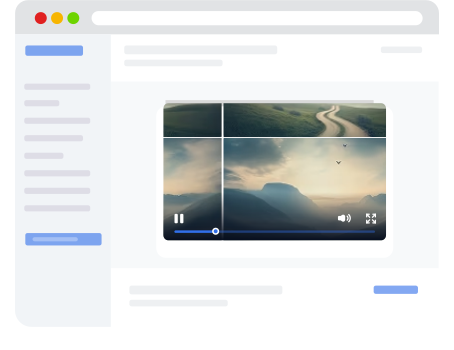
Select a source video and click “Convert” to see LCEVC output in action.
| Standard | ISO/IEC 23094-2 (MPEG-5 Part 2, LCEVC), 2020 |
| Type | Enhancement layer — works on top of any base codec |
| Compression improvement | +1–2 dB PSNR at same bitrate, or 30–40% bitrate reduction at same quality |
| Compatible base codecs | H.264, H.265 |
| Royalty status | Licensed (V-Nova patent portfolio) |
| Hardware decode support | Not required — LCEVC enhancement decoded in software/JS on top of hardware base decode |
| Browser support | Via JavaScript decoder (works in any browser that decodes the base codec) |
| Container support | MP4, HLS, DASH, CMAF |
| Encoding speed | Fast — the enhancement layer adds minimal compute to the base encode |
| Typical use case | Upgrading existing codec pipelines, bandwidth-constrained delivery, improving quality without changing codec |
Platform | LCEVC | H.264 | H.265 | AV1 |
|---|---|---|---|---|
Chrome (desktop) | via SDK | 70+ | ||
Firefox (desktop) | via SDK | 67+ | ||
Safari (macOS) | via SDK | 11+ | 17+ | |
Edge | via SDK | ext. | 79+ | |
iOS Safari | via SDK | 11+ | 17+ | |
Android Chrome | via SDK | device-dep. | 93+ |
Qencode supports LCEVC as an enhancement layer on supported base codecs. Enable LCEVC by adding the enhancement parameter to your encoding job — Qencode handles the two-layer encoding automatically.
Pair LCEVC with Per-Title Encoding for compounded optimization, or use AI Upscaling alongside LCEVC for maximum visual quality from low-resolution sources.
MP4 output with H.264 base + LCEVC enhancement
{
  "query": {
    "source": "https://your-storage.com/video.mov",
    "format": [
      {
        "output": "mp4",
        "video_codec": "lcevc_h264",
        "resolution": 2160,
        "quality": 20
      }
    ]
  }
}
Copy this payload and use it with your API key to generate LCEVC-enhanced output from any video source.
View Parameter ReferenceCategory | LCEVC with H.264 base | AV1 (native) |
|---|---|---|
Compression | Better than plain H.264 at similar quality | Baseline |
Encoding speed | Fast — base H.264 encode plus lightweight enhancement layer | Fast |
Device support | Uses H.264 base decode, but full intended quality requires an LCEVC-enabled player/decoder | Universal, 99%+ device/browser support |
Pipeline change | Moderate/minimal if keeping H.264 as the base codec, but playback side requires LCEVC support | Standard single-codec workflow |
Royalty status | Licensed, V-Nova | Licensed, MPEG LA |
Best for | Improving H.264 efficiency when you control the playback environment/player | Maximum compatibility and simple playback |
For a detailed AV1 breakdown, see AV1
Resolution | LCEVC H.264 | LCEVC HEVC |
|---|---|---|
SD (< 960 x 720) 0 - 691199 pixels | $0.005 | $0.01 |
HD (2160 x 1080) 691200 - 2332800 pixels | $0.01 | $0.02 |
1440 (2880 x 1440) 2332801 - 4147200 pixels | $0.025 | $0.05 |
4K (4096 x 2048) 4147201 - 8388608 pixels | $0.045 | $0.09 |
5K (5120 x 2560) 8388609 - 13107200 pixels | $0.08 | $0.16 |
6K (6144 x 3072) 13107201 - 18874368 pixels | $0.12 | $0.239 |
7K (7168 x 3584) 18874361 - 25690112 pixels | $0.16 | $0.319 |
8K (8192 x 4096) 25690113 - 33554432 pixels | $0.22 | $0.44 |
10K (10240 x 5120) 33554433 - 52428800 pixels | $0.35 | $0.77 |
12K (12288 x 6144) 52428801 - 75497472 pixels | $0.5 | $1.1 |
14K (14336 x 7168) 75497473 - 102760448 pixels | $0.68 | $1.5 |
16K (16384 x 8192) 102760449 - 134217728 pixels | $0.88 | $1.94 |
We love creating powerful solutions that are aligned with the needs of your business.
Please send us a message if you have a question or Schedule a call for a demo to discuss your integration.
Contact us with any questions. We'd love to help.
Los Angeles, CA - (HQ)
San Francisco, CA
New York, NY